How to Use an NFC Ring or Bracelet With the New iPhone 18 and iPhone Duo
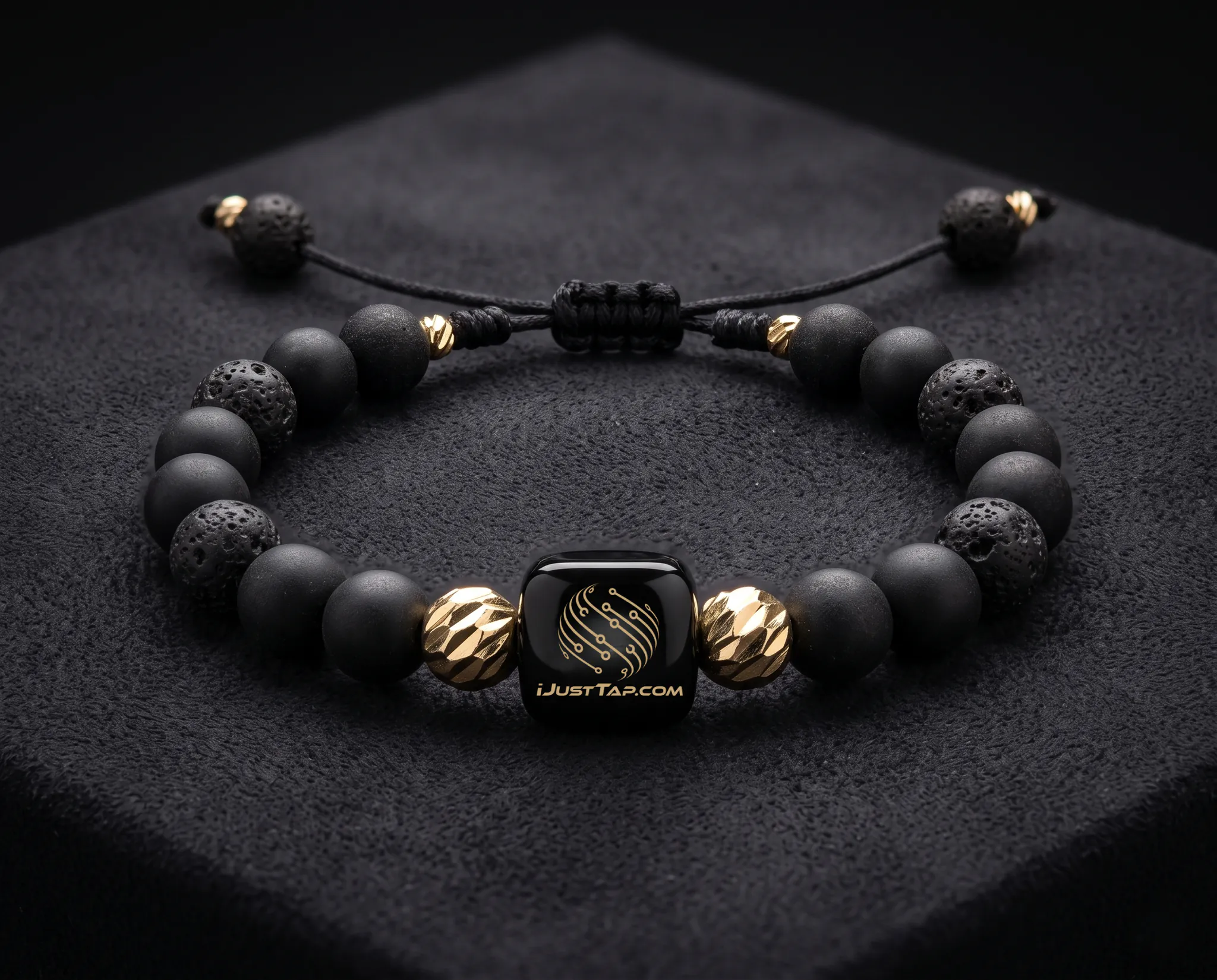
The way we share information is changing. A business card used to be something you pulled from your wallet. Today, your contact information, social media, website, portfolio, and professional profile can live inside something much smaller—and something you can wear. With an NFC-enabled ring or bracelet from iJust Tap, you can share your digital business card simply by bringing your wearable close to a compatible smartphone. And with Apple’s newest iPhone generation, including the iPhone 18 Pro and the new foldable iPhone Duo, NFC remains part of the iPhone experience. Apple lists NFC with reader mode in the technical specifications for both devices. So how does it actually work? What Is an NFC Ring or Bracelet? An NFC ring or bracelet is a wearable accessory containing a small NFC tag. NFC stands for Near Field Communication. It allows compatible devices to exchange small amounts of information when they are brought close together. For an iJust Tap wearable, that information can be used to open your digital business card. Instead of handing someone a piece of paper, you can simply tap your ring or bracelet against their smartphone. Your digital profile can then give them access to the information you choose to share, such as: * Your name and profile photo * Phone number * Email address * Business information * Social media profiles * Website * Portfolio or photos * Booking links * Payment links * Contact information The result is simple: one tap can replace the traditional exchange of contact information. Does the iPhone 18 Work With NFC Rings? Yes. Apple’s current technical specifications list NFC with reader mode for the iPhone 18 Pro and iPhone 18 Pro Max. Apple’s new iPhone Duo also includes NFC with reader mode, meaning its NFC hardware can read compatible NFC tags. This means an NFC wearable such as an iJust Tap ring or bracelet can be used as a way to share a digital destination with compatible iPhones. The important part is not the shape of the device. It doesn’t matter whether your NFC tag is inside a card, ring, bracelet, keychain, or another accessory. What matters is that the NFC tag contains compatible information and the smartphone can read it. How to Use an iJust Tap Ring With an iPhone 18 Using an NFC ring is designed to be simple. Step 1: Have Your iJust Tap Ring Ready Your iJust Tap ring contains the NFC technology that connects your wearable to your digital business card. You don’t need to pull out a physical business card. You simply wear the ring. Step 2: Ask the Other Person to Bring Their iPhone Close The person receiving your information should bring their iPhone close to the NFC area of your ring. With iPhone, NFC reading can happen automatically in supported situations. Apple explains that compatible iPhones can read NFC tags in the background when the display is on, provided the tag contains compatible NDEF information such as a URL. Step 3: Wait for the NFC Notification When the iPhone recognizes the tag, the phone can display a notification associated with the information stored on the NFC tag. The person can then tap the notification to open the destination. Apple’s NFC documentation explains that background tag reading can recognize an NDEF-formatted tag containing a URL and route the user to the associated destination. Step 4: Your Digital Business Card Opens Once the person opens the link, they can view your iJust Tap digital business card. Now the conversation can continue without you having to type your phone number, search for your social media account, or hand someone a paper card. That’s the real advantage. The technology disappears, and the interaction becomes the experience. How to Use an iJust Tap Bracelet With an iPhone Duo The process is essentially the same with Apple’s new iPhone Duo. The iPhone Duo includes NFC with reader mode according to Apple’s technical specifications. Simply: Wear → Tap → Share → Connect. Bring the iPhone Duo near the NFC-enabled area of your iJust Tap bracelet. Once the phone recognizes the NFC tag, the user can follow the notification or prompt to open the digital destination. The Duo’s foldable design doesn’t change the fundamental NFC experience. The phone still contains NFC hardware designed to read compatible NFC tags. Do You Need an App to Receive an iJust Tap Card? For NFC tag reading, the important thing is the NFC tag itself and the destination stored on it. Apple supports background NFC tag reading for compatible NDEF tags containing URL records. Safari can handle ordinary web links when there isn’t an associated app configured for that destination. That makes web-based digital business cards especially useful. Someone doesn’t necessarily need to download an app just to access the information you’re sharing. They tap. They open. They see your information. What Can You Share With an NFC Ring or Bracelet? The biggest mistake is thinking an NFC wearable is simply a digital version of a phone number. It can be much more powerful than that. Your iJust Tap digital business card can become a central place for your professional identity. For example, imagine meeting a potential client at a coffee shop. Instead of saying: “Let me give you my number.” You tap your ring. They open your digital business card. Now they can see your business, website, social media, portfolio, contact information, and other links you choose to provide. The wearable becomes the doorway. Your digital profile becomes the destination. NFC Ring vs. Traditional Business Card Traditional business cards have one major limitation: They are static. Once you print them, the information is fixed. Your business may change. Your phone number may change. Your website may change. Your social media may change. Your services may change. An iJust Tap digital business card is different because the physical wearable can remain the same while the digital information connected to it can be updated. That creates an entirely different way of thinking about a business card. Instead of carrying information on paper, you wear the way people access your information. Why Wear an NFC Business Card? This is where technology meets psychology. People don’t always remember a name. They remember an experience. Think about the difference between these two introductions: “Here’s my business card.” versus “Watch this.” You tap your ring against their phone. Their phone responds. Your professional profile appears. Suddenly, the exchange becomes something worth remembering. That’s important because first impressions aren’t only about the information you give someone. They’re about how you make them feel when they meet you. A wearable business card turns a routine exchange into a small moment of curiosity. And curiosity creates attention. Attention creates memory. Memory creates recognition. And recognition can create opportunity. The Future of the Business Card Is Wearable The traditional business card was designed around the limitations of paper. The modern digital business card is designed around the possibilities of technology. And wearable technology takes that idea one step further. You don’t have to remember to bring your business card. You don’t have to search through your wallet. You don’t have to open an app and find your profile. You can simply wear it. That is the idea behind iJust Tap. Your business card shouldn’t just live in your wallet—or inside your phone. It can live on you. Frequently Asked Questions Can I use an NFC ring with an iPhone 18? Yes. Apple’s current iPhone 18 Pro specifications list NFC with reader mode, allowing compatible NFC tags to be read by the device. Can I use an NFC bracelet with the iPhone Duo? Yes. Apple lists NFC with reader mode in the technical specifications for iPhone Duo. Does the iPhone need to touch the NFC ring? No. NFC works through close proximity. You generally bring the compatible area of the iPhone near the NFC tag rather than needing physical contact. Does the person receiving my information need an iJust Tap ring? No. Only the person sharing their information needs the iJust Tap wearable. The other person uses their compatible smartphone to read the NFC tag. What happens when someone taps my iJust Tap ring? The compatible smartphone reads the NFC tag and can present the associated link or notification. Opening it takes the person to your digital destination, such as your iJust Tap digital business card. Apple’s background NFC system supports NDEF tags containing URL records. Can I use an NFC bracelet instead of an NFC ring? Yes. The form factor can be different, but the concept is the same: the NFC tag inside the wearable stores information that a compatible smartphone can read. Is NFC the same as Bluetooth? No. NFC and Bluetooth are different technologies. NFC is designed for very short-range interactions and can be used to initiate actions such as opening a web link when a compatible tag is read. Your First Impression Is Now Wearable Technology doesn’t have to be complicated to be powerful. Sometimes the best technology is the technology people don’t even notice. You wear the ring. You meet someone. You tap. And your professional identity appears on their phone. That’s the experience iJust Tap was built around. One wearable. One tap. One unforgettable first impression. The future of the business card isn’t necessarily something you carry. It might be something you wear.